

QR ordering for restaurants, terraces and pop-ups
Guests order and pay from the table
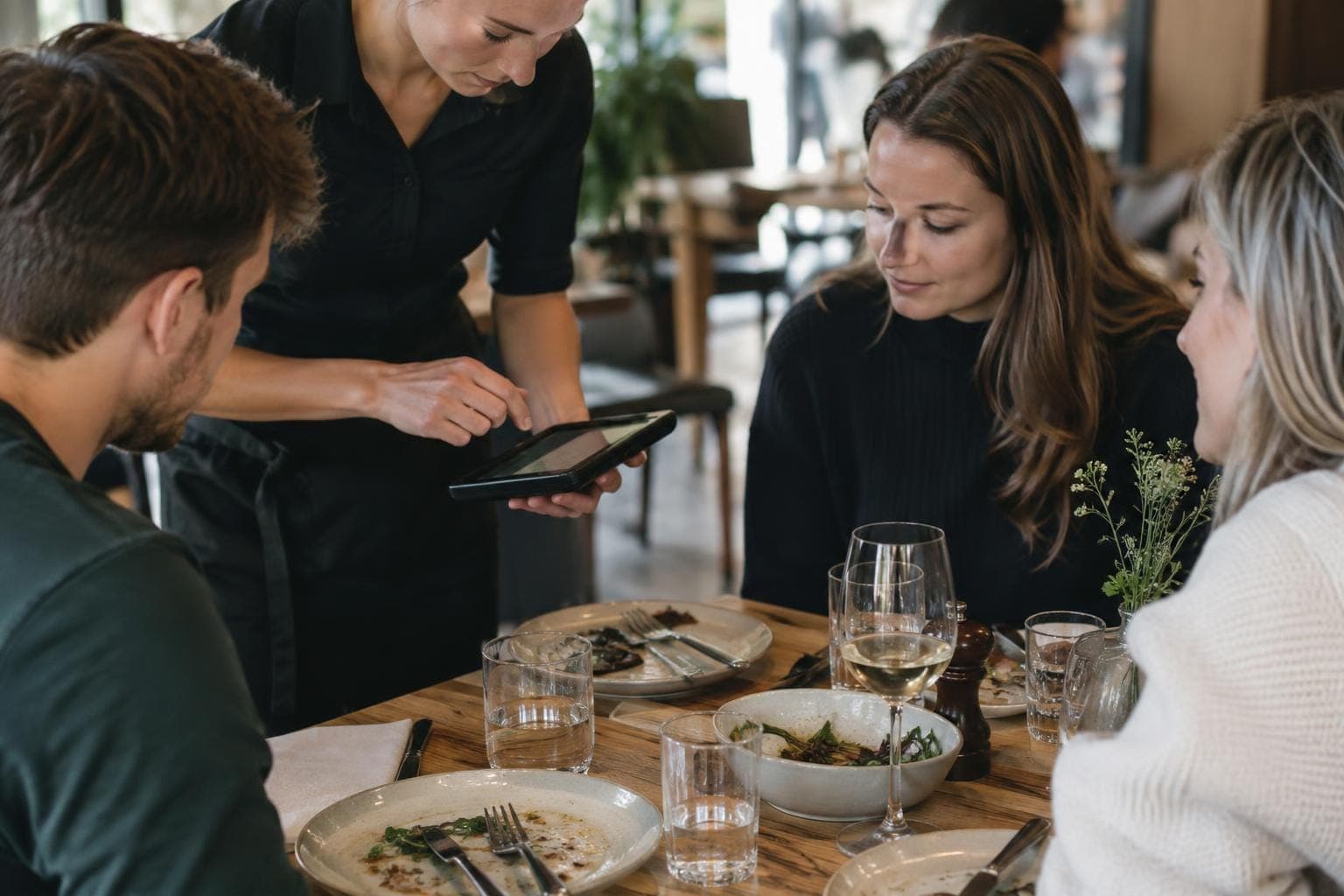
When the room is busy, guests wait for a waiter before they can order and pay. With QR ordering, the guest scans the table's code, chooses dishes on their phone and pays straight away. The order goes to the kitchen after payment, and the sale is recorded in Solmio-kassa.
QR ordering is part of the Solmio online store. See also POS system for restaurants.
No app
The QR code opens the menu straight in the phone's browser. The menu works in Finnish and English.
Only paid orders reach the kitchen
The order goes to the kitchen only once payment has gone through.
Till products, till sales
Price and VAT come from the till, and QR sales are in the same reports as all other sales.
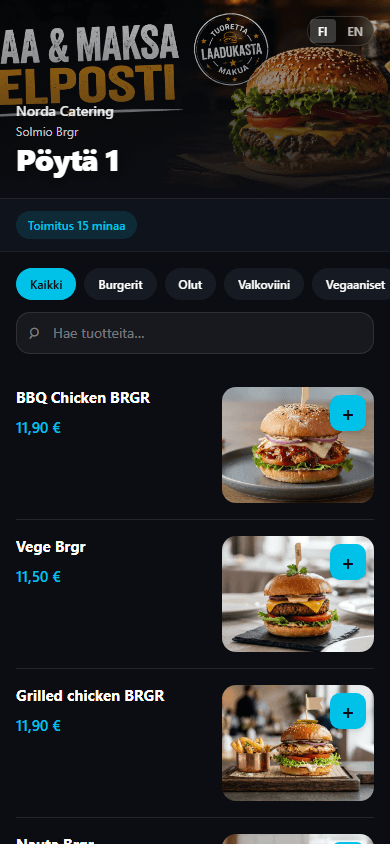
The menu on the phone
Guests browse products by category, search by name and see product photos. The QR code always opens the right table's menu.
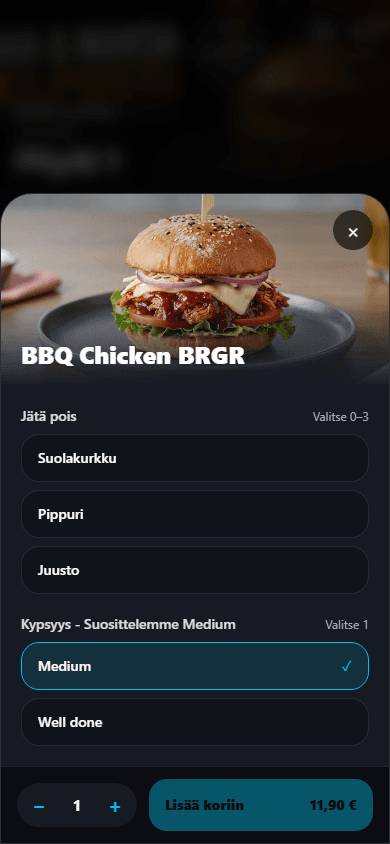
Choices, just as you'd tell the waiter
Guests can leave out an ingredient or choose how it's cooked. You decide which choices are required and how many can be picked. The price updates with the choices.
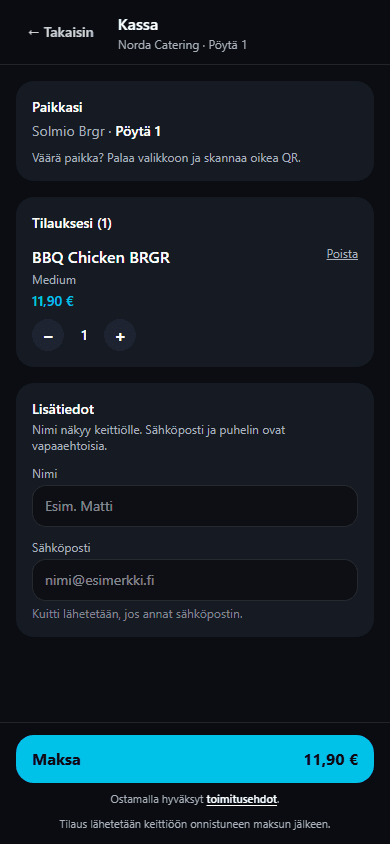
Payment before the kitchen
At checkout the guest sees which table the order goes to and pays straight away. If they give an email address, they get a receipt. After paying, the order can be followed on the phone.
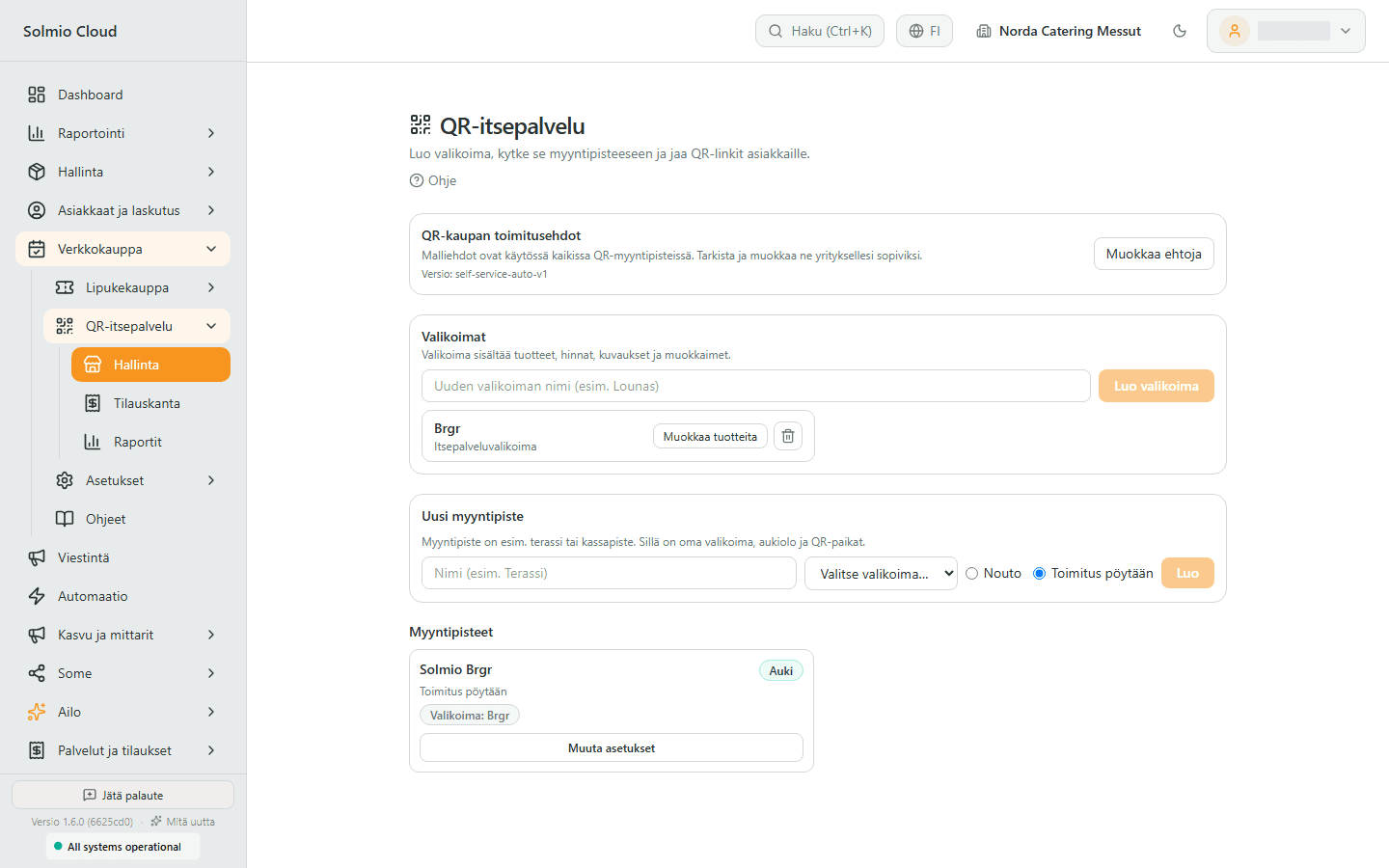
To the table or for pickup
Each sales point has its own menu, opening hours and QR spots. Choose whether the order is brought to the table or collected from the counter. You create QR spots as a series, for example Table 1–20, and print the codes.
Features for your everyday work
Explore the tools selected for this solution. Open a feature to see how it helps your business.
Explore all features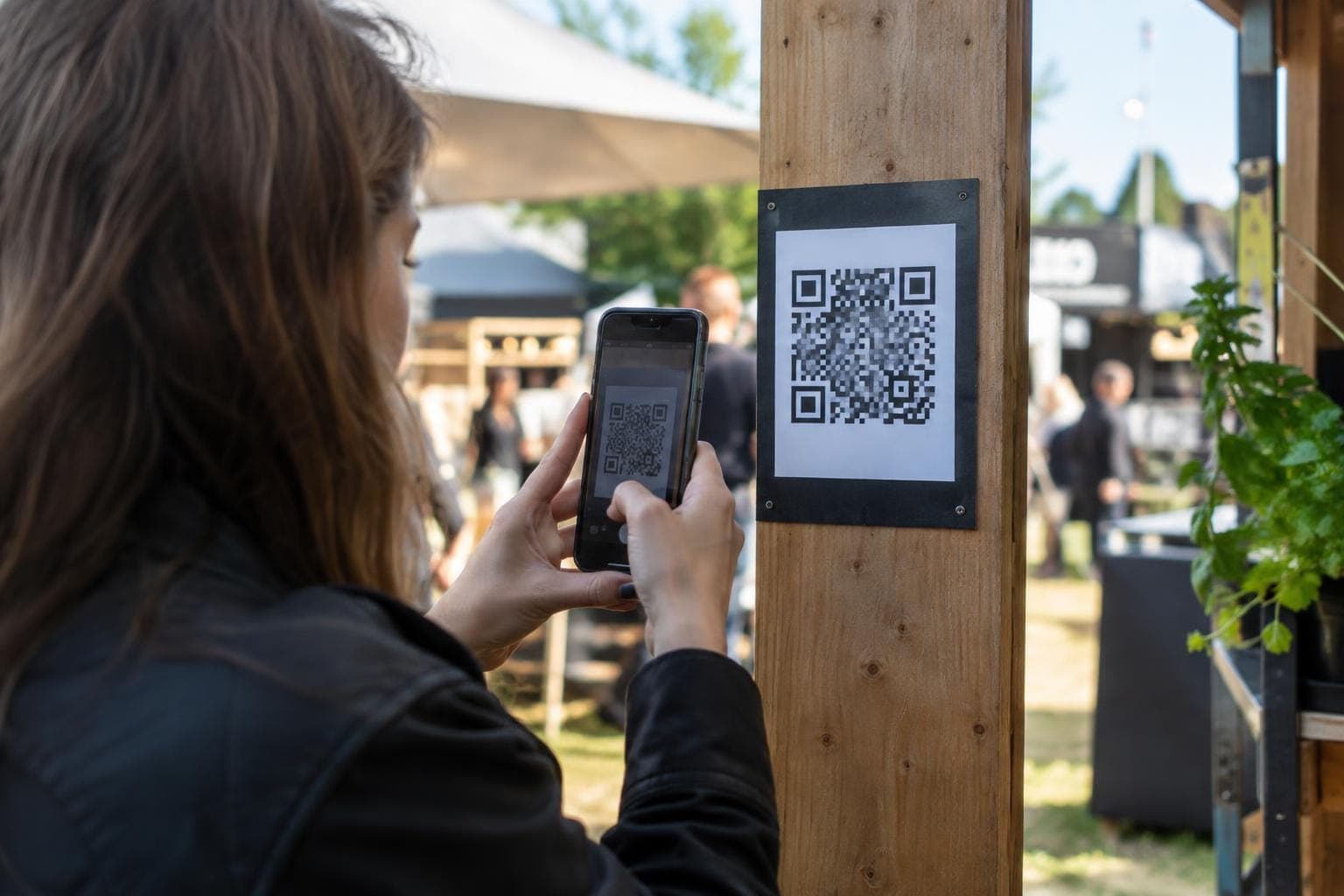

How it works
1
Build the menu
Put the menu together from your till products. Add photos, descriptions and product choices.
2
Open a sales point
Connect the menu to a sales point and choose the till, payment method and table service or pickup.
3
Print the codes
Create the QR spots in one go and print the codes for the tables.
4
The guest orders and pays
The guest scans the code, chooses dishes and pays. The order goes to the kitchen.
Frequently asked questions
Do guests need to download an app?
No. The menu opens in the phone's browser from the QR code.
Can guests follow their order?
Yes. After paying, the guest sees the order status on a tracking page. You can edit the tracking page texts in the brand settings.
Can I ask guests for extra details with the order?
Yes. You can set the details asked at checkout. The name shows to the kitchen, and a receipt is sent to the email address.
How do guests pay?
With an online payment through Viva or Paytrail. The available methods, such as cards and mobile payments, depend on the provider you choose.
What goes into the terms of delivery?
Ready-made template terms are available, which you can check and adapt for your business.
Guests order and pay from the table
The demo is free and comes with no commitment. A specialist gets back to you within one working day and can visit you on site.